
Box on, box off: two parcel quotes for the same pairs
Every PinguBuy line for your destination, priced with the shoeboxes and without them, from line figures read on 10 November 2026.
Checked against PinguBuy pages and its estimator on 10 November 2026
Price one set of pairs two ways
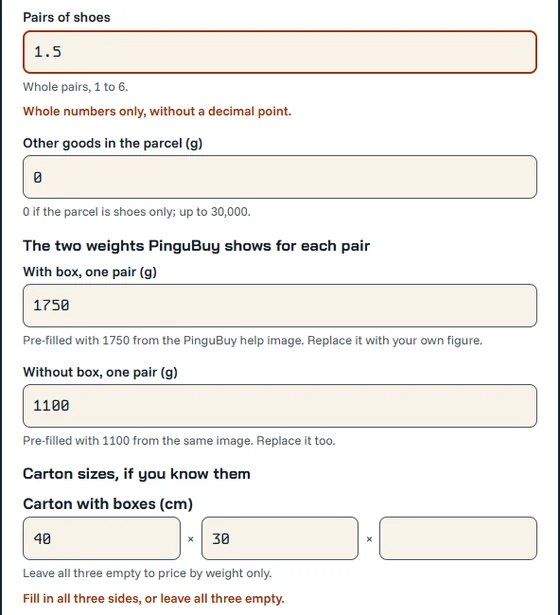
Enter the weights from the PinguBuy packing screen. Each field checks itself: blanks, minus signs, decimals, 1e2-style numbers and values over the limits are flagged next to that field, and the results stay blank until all of them pass.
Results appear here: every line for the chosen country, with billable weight and fee for box on and box off.
What the calculator reads from PinguBuy
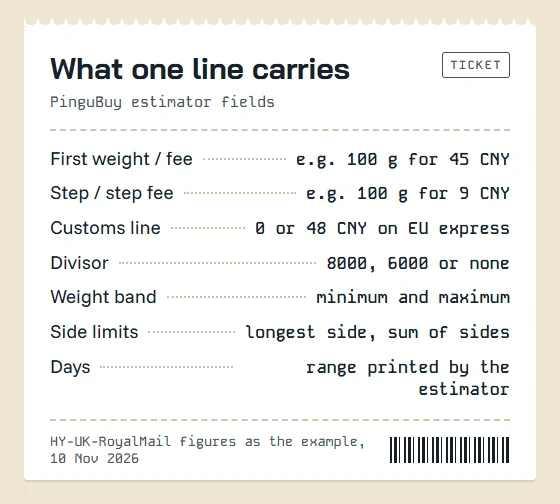
On 10 November 2026 we asked PinguBuy's public shipping estimator for quotes to 14 countries at seven weights from 0.5 kg to 29 kg, plus three set parcel sizes. Every answer carries the line's own figures: first weight, first fee, the size of each extra step, the step fee, any customs line, the volume divisor, the weight band and side limits. Those 81 lines are what the calculator holds.
To make sure the sums match PinguBuy's, we ran the same formula over all 711 quotes in that sweep. Every one agreed with the estimator's total to the fen, including the cases where the estimator returns zero because a parcel falls outside a line's weight band.
Feeding it the packing-screen weights
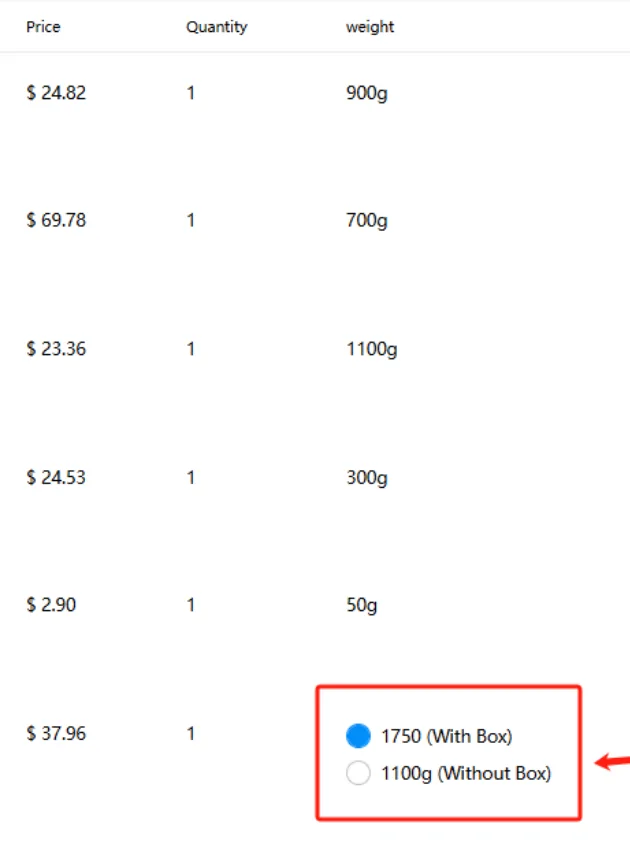
A note on how to use the calculator with real figures. The two weights come from PinguBuy, not from a guess. When you tick shoes in the Packing center and press Submit shipping, the item list shows each pair twice: once with the box, once without, each with its own weight. Copy those two numbers into the with-box and without-box fields. If you have several pairs of the same model, the per-pair weights repeat; if not, use the average.
Carton sizes are the part you rarely know before packing. Leave them empty and the calculator prices by weight alone and says so on every line that counts volume. If you paid for a rehearsal, PinguBuy will have measured the packed carton, and those sizes go in the box-on or box-off fields. Other goods in the parcel go in as a single weight in grams.
Reading the result columns
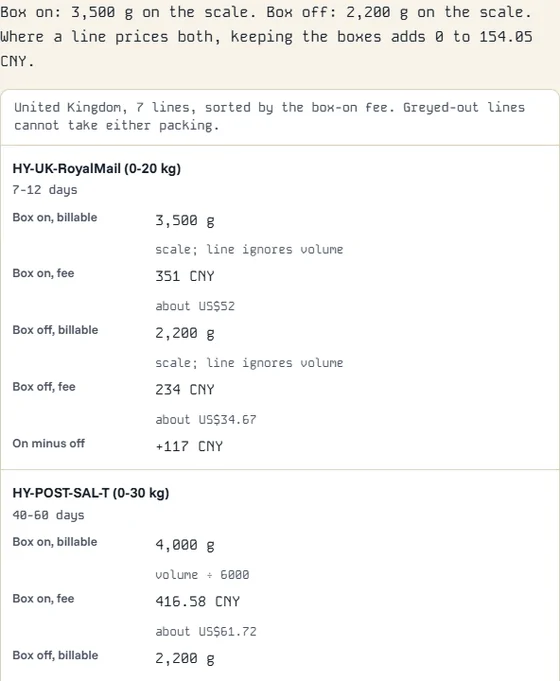
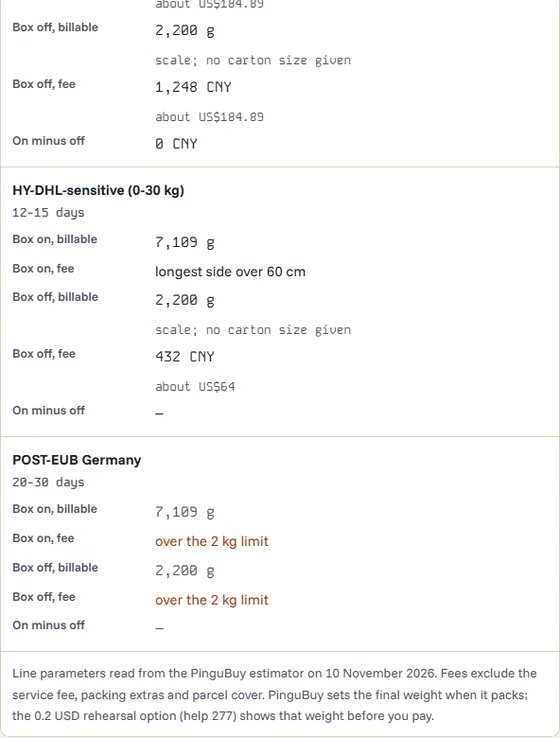
Each line gets two pairs of figures. Billable weight is the weight PinguBuy charges for, and the small note under it says why: actual weight, volume divided by 8000 or 6000, or a line that does not count volume at all. Fee is the line's formula applied to that weight, in yuan, with the customs line included where the estimator adds one. The US dollar figure beside it is the yuan divided by 6.750, the rate the estimator used on 10 November 2026.
The last column is box on minus box off. Lines are sorted by the box-on fee so the order follows price, not a verdict; a line near the top can still be slow, and the estimator's day range is printed under each name. Why the divisor differs between lines
Why some lines grey out
A line drops out for one of four reasons, and the calculator names it. The parcel may be over the line's top weight. It may be under the bottom of its band: the EU DPD line for sensitive goods starts at 1 kg and the UK DPD lines bill a 10 kg first weight however light the box. Volume can push the billable weight over the top, which is how a 1.5 kg parcel in a 40 × 30 × 20 cm carton falls off a 2 kg postal line. And a carton side can exceed a line's listed limit.
The side limits come from the estimator's own fields. PinguBuy's estimator page does not check them when you type sizes, so treat a greyed line on sides as a warning to ask before you submit, not a hard refusal.
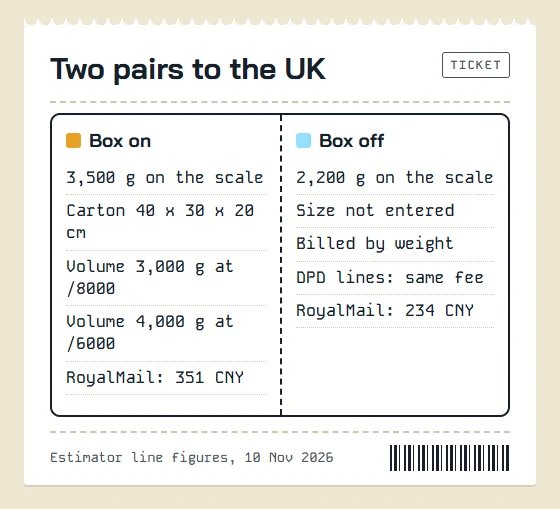
Two pairs to Britain, priced on 10 November
Two pairs with the help-image weights come to 3,500 g with boxes and 2,200 g without. Put the boxed pairs in a 40 × 30 × 20 cm carton, one of the sizes we sent to the estimator, and the volume sum gives 3,000 g on lines that divide by 8000 and 4,000 g on lines that divide by 6000. So the boxed parcel is billed on actual weight on most UK lines, and on volume on the slow postal SAL line.
Without the boxes, the 2,200 g bag is priced by weight. The difference on HY-UK-RoyalMail, a line that ignores volume, is 117 CNY. On the two DPD lines it is nothing at all, because both packings fall inside the same 10 kg first weight.
Swipe or scroll the table to see all columns.
| Line | Box on billable | Box on fee | Box on billed by | Box off fee | Difference |
|---|---|---|---|---|---|
| HY-RM-sensitive (0-5 kg) | 3,500 g | 484 CNY | actual | 341 CNY | +143 CNY |
| HY-RM-E (0-20 kg) | 3,500 g | 474 CNY | actual | 331 CNY | +143 CNY |
| HY-UK-DPD (P 10-30 kg) | 3,500 g | 1,100 CNY | actual | 1,100 CNY | 0 CNY |
| HY-UK-DPD (E 10-30 kg) | 3,500 g | 1,150 CNY | actual | 1,150 CNY | 0 CNY |
| HY-UK-RoyalMail (0-20 kg) | 3,500 g | 351 CNY | no volume | 234 CNY | +117 CNY |
| HY-POST-SAL-T (0-30 kg) | 4,000 g | 416.58 CNY | volume ÷ 6000 | 302.94 CNY | +113.64 CNY |
| POST-EUB UK | 3,500 g | 431.75 CNY | no volume | 277.7 CNY | +154.05 CNY |
Checks this calculator passed
Two kinds of test ran before publishing. The formula test replays every one of the 711 archived quotes through the same function the page uses and compares it with the estimator's total. The input test types bad values into each field in a real browser: an empty box, -1, 1.5, 1e2, a weight of 9,999 g, seven pairs, a without-box weight heavier than the with-box one, and a carton with only two sides filled.
For every bad value the field shows its own message, the result area goes back to its starting text, and no fee is printed. Clearing the form with the Clear button does the same.
What the calculator leaves out
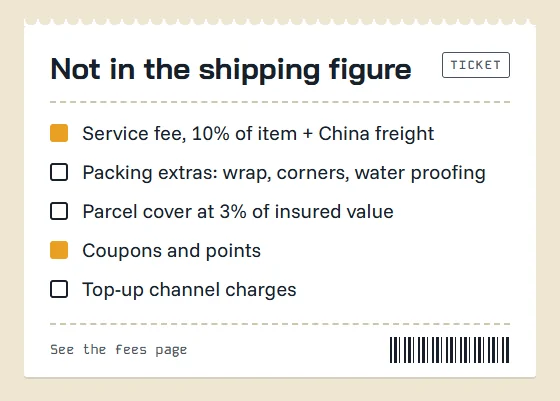
The figures are shipping only. The service fee, packing extras such as bubble wrap or corner protectors, parcel cover and any coupon all sit on top, and the fees page covers them. The weights are the ones you enter; PinguBuy weighs and measures the real parcel when it packs, and its packing screen warns that weight can change at that stage.
If you want the real figure before paying, PinguBuy offers a rehearsal for 0.2 USD: it packs the parcel, you see the weight and sizes, then you pay shipping. Without it, a second shipping payment is possible if the packed parcel comes out heavier. See the rest of the bill